BananDownload | Free Software Activated: Recorder

Ads 728x90

Tampilkan postingan dengan label Recorder. Tampilkan semua postingan

Senin, 05 Januari 2015

Name : Mirilis Action!
Version : 1.20.2.0
Medicine : Include-Crack
Update : 05 January 2015
OS : Windows Vista, 7, 8
Homepage : Mirillis
Size : 20 Mb


Mirillis Action! adalah software recorder berguna untuk perekaman / menangkap layar desktop kualitas video HD yang luar biasa . Dengan software dapat merekam video web player, gameplay Anda , framerates tampilan permainan , tambahkan komentar langsung audio membuat tutorial berkualitas tinggi , merekam musik , menangkap screenshot dan banyak lagi !


Link Download


Rabu, 31 Desember 2014

Name : oCam
Version : 57.0
Medicine : No This freeware
Update : 12 December 2014
OS : Windows 8 , 7, Vista, XP
Homepage : Ohsoft
Size : 4.8 Mb


oCam adalah alat perekaman layar sangat mudah , mudah digunakan. Dimana satu ini jatuh pendek adalah kurangnya hotkeys untuk meminimalkan program saat merekam berarti bahwa itu selalu akan berada di jalan ketika sedang merekam kecuali jika Anda hanya merekam bagian dari layar Anda . 
oCam software recording atau untuk merekam layar dimana aplikasi ini cocok untuk mengambil video streaming dan banyak digunakan oleh semua orang.


Features:

* Computer screen, video recording is possible.
* Pause/resume of recording function.
* Recording using the built-in video codecs(AVI, MP4, FLV, MOV, TS, VOB) and audio codecs(MP3) and real-time audio encoding
* Can record you use the external VFW codec.
* Have large video formats to support more than 4GB.
* Recording sound from your computer as you can.
* Audio recording is made possible without the stereo mix setting.(Windows 7, Vista SP1 or later)
* A variety of sound quality when recording can be selected.
* Screen capture is possible. Image Format(JPEG, GIF, PNG, BMP)
* Recording area of the keyboard can be easily controlled.
* Can record the full screen and window area.
* During recording, the mouse cursor can be set to be included.
* Bug reporting is available to developers.
* Record the results can be stored in a specific folder, you have the option.
* oCam dual-monitor support.
* Flash in the IE browser, the target area can be selected.
* Preferences from the FPS setting is possible.
* Recording schedule function is available.


Link Download


Selasa, 02 Desember 2014

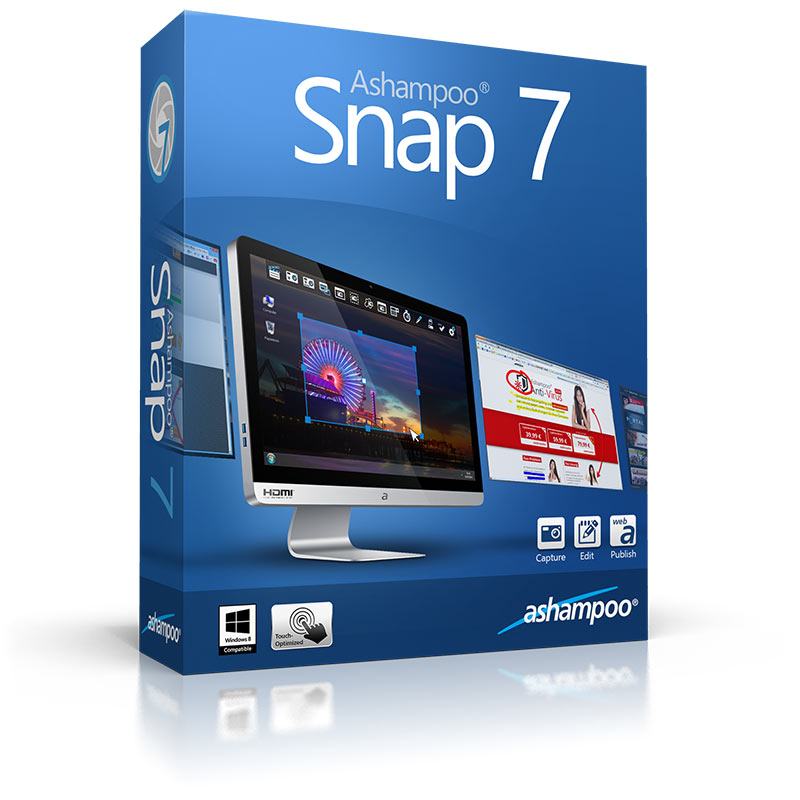
Name : Ashampoo Snap
Version : 7.0.1.0
Medicine : Include-Crack
Support : Windows XP, Vista, 7, 8
Catagories : Recoder, Editor Photo.
Update : 02 December 2014
Homepage : Ashampoo Snap
Size : 35 Mb


Ashampoo Snap 7 is the smartest way to capture screenshots, add notes and annotations and share them with your friends. With Ashampoo Snap 7 you capture images and videos right from your screen in seconds, capture rectangular regions, use free form capture for maximum flexibility, use timers for interval capturing

New in Ashampoo Snap 7

Smoother workflow
Ashampoo Snap 7 uses optimized drawing routines to provide a smoother, rounder look and feel that you will simply love.

Less complexity
With Ashampoo Snap 7, it takes less clicks to achieve your goals. Save time and boost your productivity.

Smarter work environment
Ashampoo Snap 7 employs smart background versioning so your original image is never lost and all modifications remain editable. Want to start over? Revert to the original at the click of a button.

More creative freedom
Ashampoo Snap 7 has all the tools you know and love and improves them. Apply gradients to almost any object, use the new outline style for visual accents, work with curved lines and arrows or 1-click clone objects for simple reuse. Not sure which application window you will later need? Simply use the new "Capture all visible desktop windows as objects" and capture all of them at once. The windows will then be captured into a single project but remain movable and resizable right from within Snap.

Sharing has never been easier
You no longer require an installed application to email your work, thanks to the integrated support for browser-based email clients. The integration with common file hosting services has also been greatly improved with integrated support for Dropbox, Google Drive and Microsoft Sky Drive. Need an even easier way to share your work? Upload it to Ashampoo Webspace, now with HTML 5 video support, and share a unique Internet link with your friends. Furthermore, Ashampoo Snap 7 features JXR and PSD export with layers for easy processing, e.g. with Adobe Photoshop, for power users.


Link Download


Senin, 01 Desember 2014

Name : Mirillis Action!
Version : 1.20.0
Medicine : This Portable version
Support : Windows All
Update : 14 November 2014
Developer : Mirillis
Size : 14 Mb

Action! allows real-time recording/capture of Windows Aero desktop in a superb HD video quality. With Action! you can record web player videos, your gameplay, display game framerates, add live audio commentary to create high quality tutorials, record music, capture screenshots... and more!


What's new in Action! 1.20.0?
NEW FEATURE: Remote Action! function added for remote PC access and playing PC games with Android devices!
NEW FEATURE: Support for NVIDIA NVENC acceleration added. Available for real-time MP4 recordings, for exporting AVI to MP4, for LIVE Streaming and Remote Action!
Improvements and fixes for MP4 desktop and gameplay recording
Added pause option for MP4 desktop and gameplay recordings
YouTube 60fps export support added
Added Windows desktop recording with Aero disabled
Improvements for games recording in 50p or lower framerates
Video scalling added for DirectX8 and OpenGL applications and games recording in MP4 format
Improved connecting to games starting with launcher windows
Run Action! on Windows start option added
Twitch LIVE streaming service ingests updated
hitbox service added for LIVE Streaming
The Elder Scrolls Online game recording fixed
Updated Aliez server for LIVE Streaming
Windows logon screen recording improvements
UAC popups recording improvements
Capture screenshots improvements for Active Screen recording mode
Stability fixes
User interface fixes and improvements

Senin, 24 November 2014

Name : Apowesoft Screen Recording Suite
Version : 3.4.0
Medicine : Include-Keygen.Maze
Support : All Windows
Update : 22 November 2014
Publisher : Screen Recording
Size : 20 Mb

Screen Recording Suite is a versatile and professional screen recorder, which is a good combination of screen recorder and video editor for windows. 

It can record every onscreen activity from computer to make movies for tutorial or training. Any live streaming video or audio file on screen can be recorded in real-time inerrably. Except recording audio from computer system, the program also supports to record external voice via microphone. Plus, it can record web camera video. When you click "Web camera", the program will connect with your webcam to record webcam steams.

What make this screen recording program distinctive is its character to create schedule task. It enables people to start and stop recording in customized duration. Thus, people can record video without confining to wait in front of computer.

After recording, the program will save the recording to WMV format file acquiescently. You can add the video into editing area to process. The built-in video editor has the features to crop, trim, convert and compress the video. The final video can be output to different video formats, such as AVI, MKV, MP4, SWF, FLV and 3GP etc. It especially designs popular format for Apple, Android and Sony device. Therefore, you can transfer the video to your portable devices, or upload to blog and video sharing websites to share with the world.

Recording contents from your screen, desktop, webcam and video input devices.
Record all desktop activities for later playback and create voice-over presentation. You are entitled to record any portion of the screen, including full screen, select window etc. Add in Music tracks, audio from Microphone and computer. Take pictures from computer screen and save it as standard image format file.


Record streaming video

Record streaming videos and TV shows from online websites. The Screen Recording Suite can apply to any websites, which enables you to download any videos you want from hot video sharing sites.
Record YouTube Videos
Record Hulu TV Shows
Record Live Streaming Videos
Record videos from Games

Record streaming audio
Record sound, streaming audio from all audio devices including microphone, sound card and external sound devices.
The build-in Audio editor makes it easy to record, import, modify sound and synchronize audio with video. It is extremely useful if you want to download music, news, ringtone from music site, radio stations etc.

Handy video edit options
The built-in video editor can trim and crop videos, adjust the brightness, contrast, video resolution, size and frame rate. The most important thing is to convert video, audio among different formats. No matter what the original format of the recorded streaming videos is, you are able to convert the video into various regular formats like AVI, WMV, MP4, 3GP, MKV, SWF, FLV, MPEG etc. It also can convert video to the formats specially suitable for Apple, Android and Sony. This powerful conversion function greatly satisfies the needs of your digital players such as iPod, iPhone, PSP, Zune, iPad and cell phones etc.

Record video form web camera
It is available to record video from web camera, which is compatible with most IM software such as GTalk, Skype, Messenger, AIM, Yahoo Messenger etc. Save the recorded video to the format you want, then you can export it to your portable devices or upload them to video sharing websites or blogs immediately.

Add captions and notes to your recorded Videos
Screen Recording Suite allows you to add captions and notes for your video recordings. By doing so, the video will be more vivid.

Built-in PowerPoint Plug-in
Click built-in PowerPoint Plug-in, the Screen Recording Suite will record PowerPoint presentation to video formats file. You can choose to convert the video format, if necessary.

Sharing and publishing video recorded flexibly
The final step in creating a stunning video presentation is to share it with your audience. One choice is to upload the video to video sharing sites like YouTube, Dailymotion with video formats like MP4, AVI. Another choice is to publish it as small-sized Flash movie which can be inserted into your own website. Screen recording suite can generate flash demo webpage directly.

Updates: official site does not provide any info about changes in this version


Link Download

Ads 728x90